

Banner
Banner
Home  > PC Parts  > PC Accessories  > Cables  > USB Cables > Insta360 Connect Extra Long USB-A to USB-C Cable - 10m (CINSBABL)

Insta360 Connect Extra Long USB-A to USB-C Cable - 10m (CINSBABL)

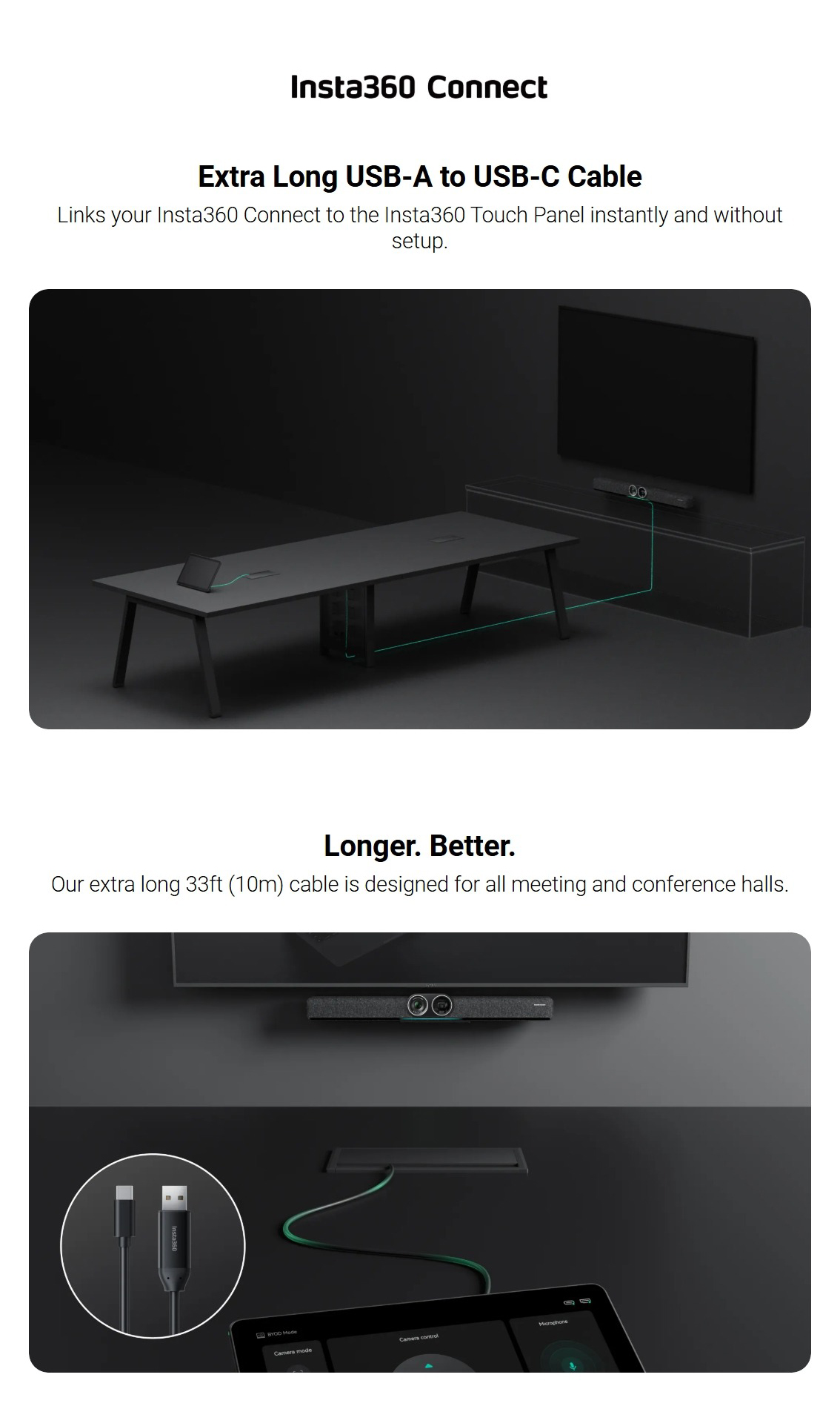
Active USB‑A to USB‑C cable for Insta360 Connect, 480 Mbps USB 2.0, 5 V‑1.7 A output, 5 V‑2.4 A input, 4.8 mm diameter, operates 0‑40 °C, suitable for walls, ceilings, raceways, ducts ≥20 mm.

Insta360 Connect Extra Long USB-A to USB-C Cable - 10m (CINSBABL)
  • USB-Cables-Insta360-Connect-Extra-Long-USB-A-to-USB-C-Cable-10m-CINSBABL-7
  • USB-Cables-Insta360-Connect-Extra-Long-USB-A-to-USB-C-Cable-CINSBABL-1
  • USB-Cables-Insta360-Connect-Extra-Long-USB-A-to-USB-C-Cable-CINSBABL-2
  • USB-Cables-Insta360-Connect-Extra-Long-USB-A-to-USB-C-Cable-CINSBABL-3
  • USB-Cables-Insta360-Connect-Extra-Long-USB-A-to-USB-C-Cable-CINSBABL-4
$125.00
or 4x fortnightly payments of $330 with ZipPay
Learn more

Pick Up Time :

Delivery:

- +
Want a stock alert?

Please enter a valid email address

By clicking 'Notify Me', you agree to our Terms & Conditions and consent to receive email updates. You can unsubscribe at any time.

WishAdd to Wishlist

Buy Now, Pay Later:  
Buy now with PayPal  
   Your Store   Question Mark

Your store is set to:

Check live stock level

Bell  Stock Levels May Vary

Stock is different at each store. To secure your item, order online.
Walk-ins are still welcome but stock isn’t guaranteed.

Our team is ready to help! Please contact us if you have any questions about product specifications, stock availability, or compatibility.

USB-Cables-Insta360-Connect-Extra-Long-USB-A-to-USB-C-Cable-CINSBABL-5


SPECIFICATIONS:

Maximum Transmission

480Mbps           

Compatibility

USB 2.0

Installation Locations

Walls, ceilings, raceways and conduits.   

Cable Type

Active copper    

Connector

USB-A to USB-C

Maximum Power Input

DC 5V-2.4A        

Maximum Power Output

5V-1.7A

Minimum Duct Diameter

20mm (0.8in)   

Cable Diameter

4.8mm (0.2in)  

Operating Temperature

32°F to 104°F (0°C to 40°C)         

No-Load Power Consumption

≤0.45W

Notes

How to Use:

Connect the Touch Panel to Insta360 Connect by plugging the USB-A end of the cable   into Insta360 Connect and plugging the USB-C end into the Touch Panel.


Notes:

1. Before wiring, test the signal to ensure it is transmitting properly.

2. When wiring, use the wire puller at the front and avoid pulling the cable or connector directly.

3. The connector contains a built-in chip. Avoid drops and impacts, and always hold the connector when plugging or unplugging the cable.

4. Avoid using heavy or sharp objects near the cable to prevent damage, and do not pull or tie it forcefully.


  • Product Name:
    Insta360 Connect Extra Long USB-A to USB-C Cable - 10m (CINSBABL)
  • Model Number:
    CINSBABL
  • Brand:
  • Warranty Period:
    2 Year

Reviews

Reviews
Write Review

Similar Products